
One of the first things a thief will do is try to disable your ‘find my iPhone’ to try and prevent the device being tracked and located. They will try to turn on Airplane Mode, blocking all communication with the iPhone.
Airplane Mode, by default is accessible from the swipe-to-open Control Center on the lock screen, this gives them time to attempt breaking into or hacking the device. After all, the information your iPhone holds may be more valuable than the iPhone itself.
A simple solution to even allowing a thief to activate Airplane Mode on your iPhone is to disable access to it from the lock screen when locked.
Steps:-
Disable Control Center from Lock Screen
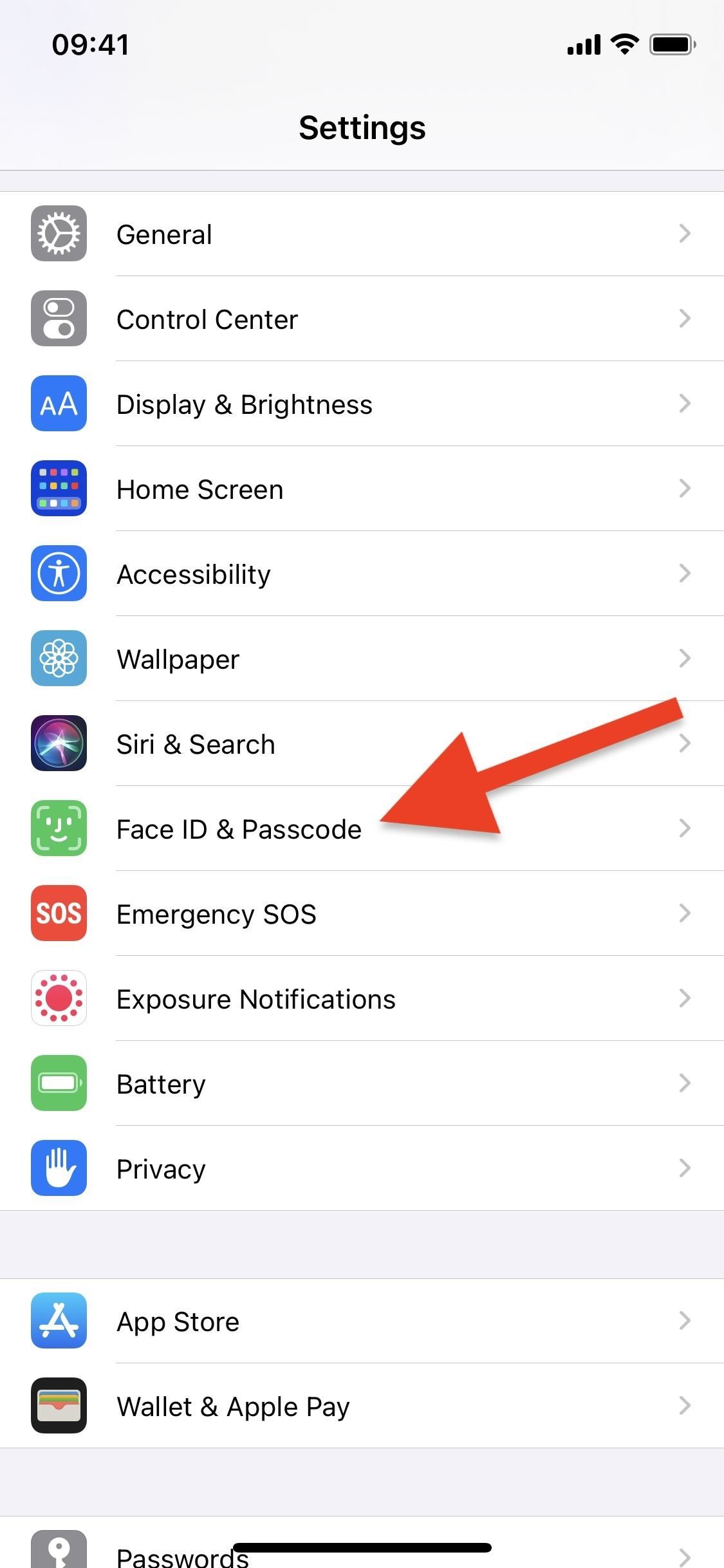
To prevent a thief from turning on Airplane Mode, you must stop them from accessing the Control Center on your lock screen. To do so, launch the Settings app, go to “Face ID & Passcode,” then enter your iPhone’s passcode when prompted.
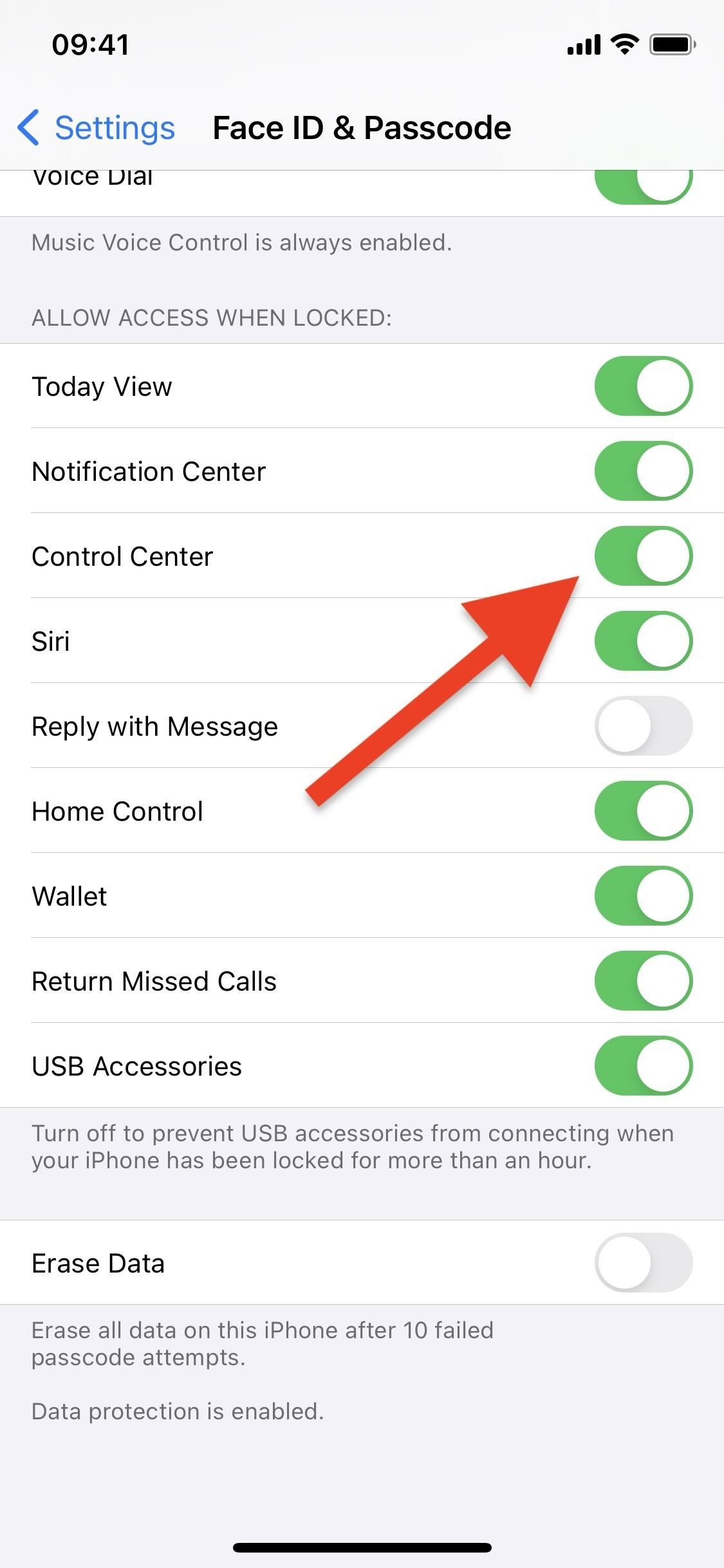
Next, scroll down and toggle off the “Control Center” switch under the Allow Access When Locked header. It’s really that simple.
You could also disable other settings to stop thieves from accessing or viewing other info. For instance, if you toggle off “Notification Center,” they won’t be able to see your notifications. And if you toggle off “Reply with Message” or “Siri,” they won’t be able to respond to messages or make phone calls from your lock screen.
Now, whenever a stranger attempts to swipe open the Control Center on your iPhone, nothing will happen. Well, if you have a model with Touch ID, they may swipe up your Notification Center instead unless that’s disabled when locked too. But the main point is that they can’t access Control Center, and therefore cannot engage Airplane Mode.
Hope that helps someone.